For battery dealers, inverter shops and battery service centres
Battery Shop Billing Software with Old Battery Exchange
Almost every battery sale comes with an old battery handed over the counter. MaterialBill puts that exchange on the same GST bill — new battery at full price, GST on it, old battery value taken off after tax — so the customer sees exactly how the final amount was reached and the scrap lands in your stock.
Problem: Old battery value written on a slip and argued over later
With MaterialBill: The exchange is a line on the bill: "Less: old item exchange", with description, quantity and value.
Problem: Confusion about GST when an old battery is taken back
With MaterialBill: GST is worked out on the full price of the new battery; the old battery comes off after tax. The software does this for you.
Problem: Scrap batteries pile up with no record
With MaterialBill: Pick a scrap item on the exchange line and the old battery is added to stock, with an entry in the stock history.
Problem: A return after an exchange gives the customer too much credit
With MaterialBill: The credit note has an "Old item given back" tick that takes the old battery off the refund — and it can be used only once per bill.
Problem: Mechanics and dealers on credit with no clear balance
With MaterialBill: Party ledger with every bill and payment, statements and WhatsApp payment reminders.
Why the old battery belongs on the bill
Written on a slip, the exchange value is the part of the sale a customer disputes a week later, and the scrap you collected never shows up anywhere. On the bill it is one more line under the items, "Less: old item exchange", with a description and a value you both agreed. The total is explicable, the record is permanent, and if you pick a scrap item the old battery is added to your stock in the same save.
Inverter, battery and fitting on separate lines
An inverter sale is usually a unit, one or two batteries, a trolley, wiring and a fitting charge. Each as its own item keeps your hardware prices comparable with the market and your labour visible, and each line carries its own GST rate. A line remark prints under the item, which is where many dealers type the battery serial number and warranty period so the bill answers a claim later.
Sample bill: new inverter battery with an old battery taken in exchange
New battery (taxable value)
₹8,000.00
GST 18% (example rate)
₹1,440.00
Bill value incl. GST
₹9,440.00
Less: old item exchange (old battery)
₹−1,200.00
Amount payable
₹8,240.00
Example figures, the same worked example as the user guide. GST stays on the full ₹8,000; the old battery comes off after tax. Use the GST rate your CA confirms for your battery's HSN.
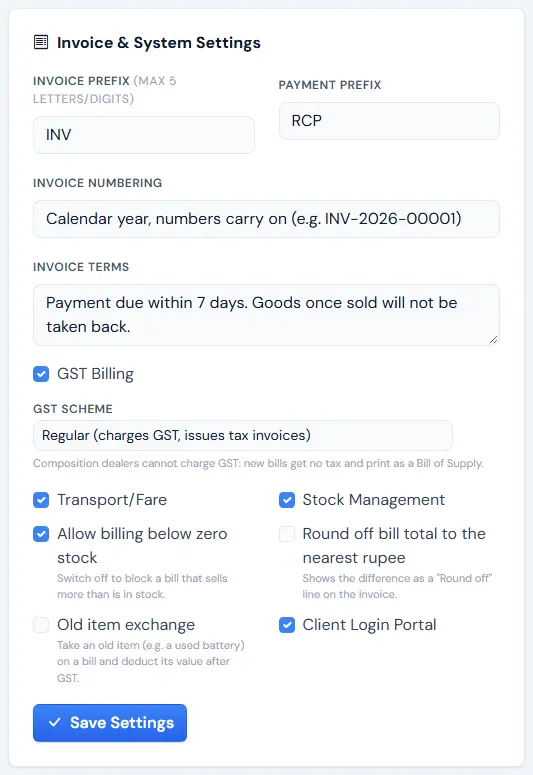
The one setting a battery shop switches on: "Old item exchange — take an old item (e.g. a used battery) on a bill and deduct its value after GST."
Pricing for battery shops
One software for every kind of shop — old item exchange is a switch in Settings, not a separate product. Plans differ in limits such as bills per month and staff logins; the pricing page lists them.
Reports (GST summary, GSTR-1) and the stock screens are in the Premium plan. Every new account gets a 5-day full trial, no card needed.
How does old battery exchange billing work? (purani battery ka bill kaise banaye)
Turn on Settings → Old item exchange once. On any bill, add the old battery under "Old item taken (exchange)" with a description, quantity and value. The bill shows "Less: old item exchange" and the customer pays the net amount.
Is GST charged before or after the old battery is deducted?
GST is charged on the full price of the new battery. The old battery's value comes off after GST, like a part payment in kind. Example: ₹8,000 battery + ₹1,440 GST (18% example rate) − ₹1,200 old battery = ₹8,240 payable. Confirm the GST rate for your battery's HSN with your CA.
Do scrap batteries go into my stock?
Only if you want them to. Pick a stock item such as "Scrap battery" in "Add to stock item" and the quantity is added to stock with an "exchange in" entry in the stock history. Leave it on "Do not add to stock" if you do not track scrap.
What if the customer returns the new battery?
Make a credit note (sales return) against the original bill and tick "Old item given back". The old battery's value is taken off the credit, and if it was added to stock it leaves stock again.
Can I print the battery serial number and warranty on the bill?
There is no separate warranty tracker. Each item line has a remark that prints under the item on the bill, so you can type the serial number and warranty period there. Old bills can be found by party, bill number or date.
Can dealers and mechanics buy on credit (udhaar)?
Yes. Unpaid bills go to the party's ledger, payments are recorded against it, and you can send a statement or a payment reminder on WhatsApp.
Does it work offline?
Yes, on the Android app. A bill made with no internet is saved on the phone as a draft and uploads by itself when the connection returns; it gets its invoice number on upload.
Can I print on a thermal printer?
Yes. Bills print as an A4 PDF or on a thermal printer, and can be shared as a PDF on WhatsApp. The old battery is printed under "Old items taken (exchange)".
Is it on mobile and computer both?
Yes. The same account works in the Android app and in a browser on your computer, so the counter and the owner see the same bills and stock.