In the app
- Home → "Payment In" (or open the party and tap "Add Payment").
- "Select Party *".
- "Against Bill (optional)" — pick a bill, or leave "General payment (no specific bill)".
- Fill "Amount (₹) *", "Mode" (Cash / UPI / Bank / Cheque / Online), "Date", "Account", and "Reference / UTR Number" for UPI or cheque.
- Tap "Record Payment". You see "Payment recorded".
On the website
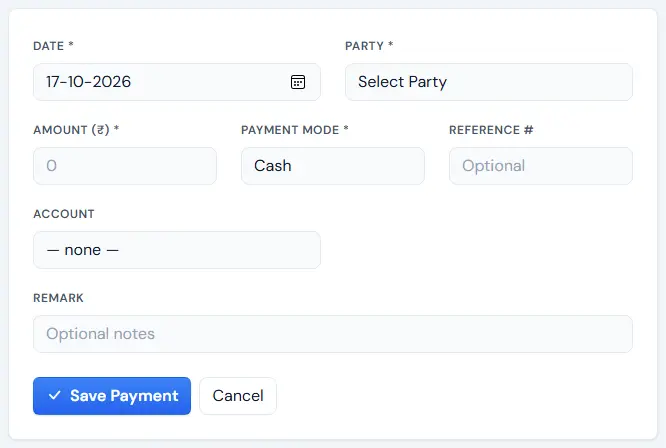
- Sidebar "Record Payment".
- Fill "Date *", "Party *", "Amount (₹) *", "Payment Mode *", "Reference #", "Account", "Remark".
- Click "Save Payment". Print or download the receipt from "Payments".
Tip: The payments list shows "Today's Collection" and "This Month" — a quick daily cash check.
If something goes wrong
- Wrong amount entered — open the party, find it under "PAYMENTS RECEIVED" and use "Edit" or "Delete".
