Battery shops (and any shop that takes old goods in part exchange) need this once.
In the app
- ☰ Menu → Settings, open the "System" tab.
- Tap "Edit System Settings".
- Turn on "Old item exchange" — "Take an old item (e.g. a used battery) on a bill and deduct its value after GST."
- Tap "Save Settings".
On the website
- Sidebar SYSTEM → "Settings".
- In the "Invoice & System Settings" card tick "Old item exchange".
- Click "Save Settings".
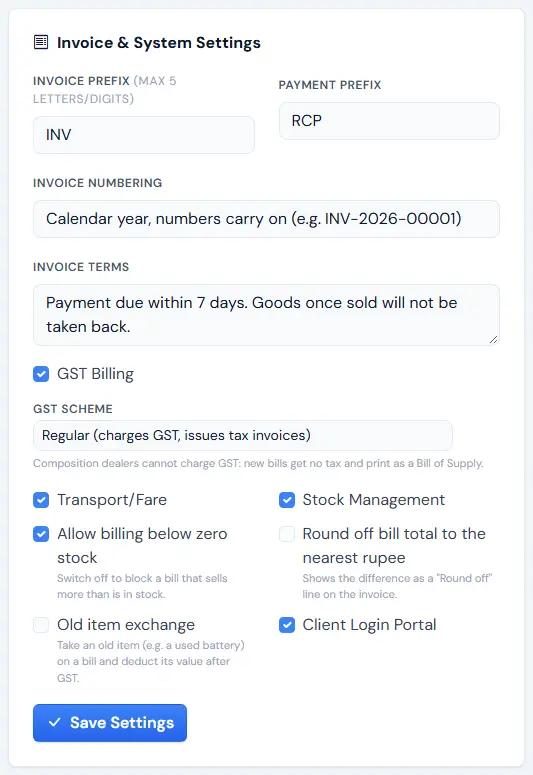
Now every bill has a place for the old battery. Next: Make a bill with an old battery.
Tip: Only the owner or a manager can change settings.
